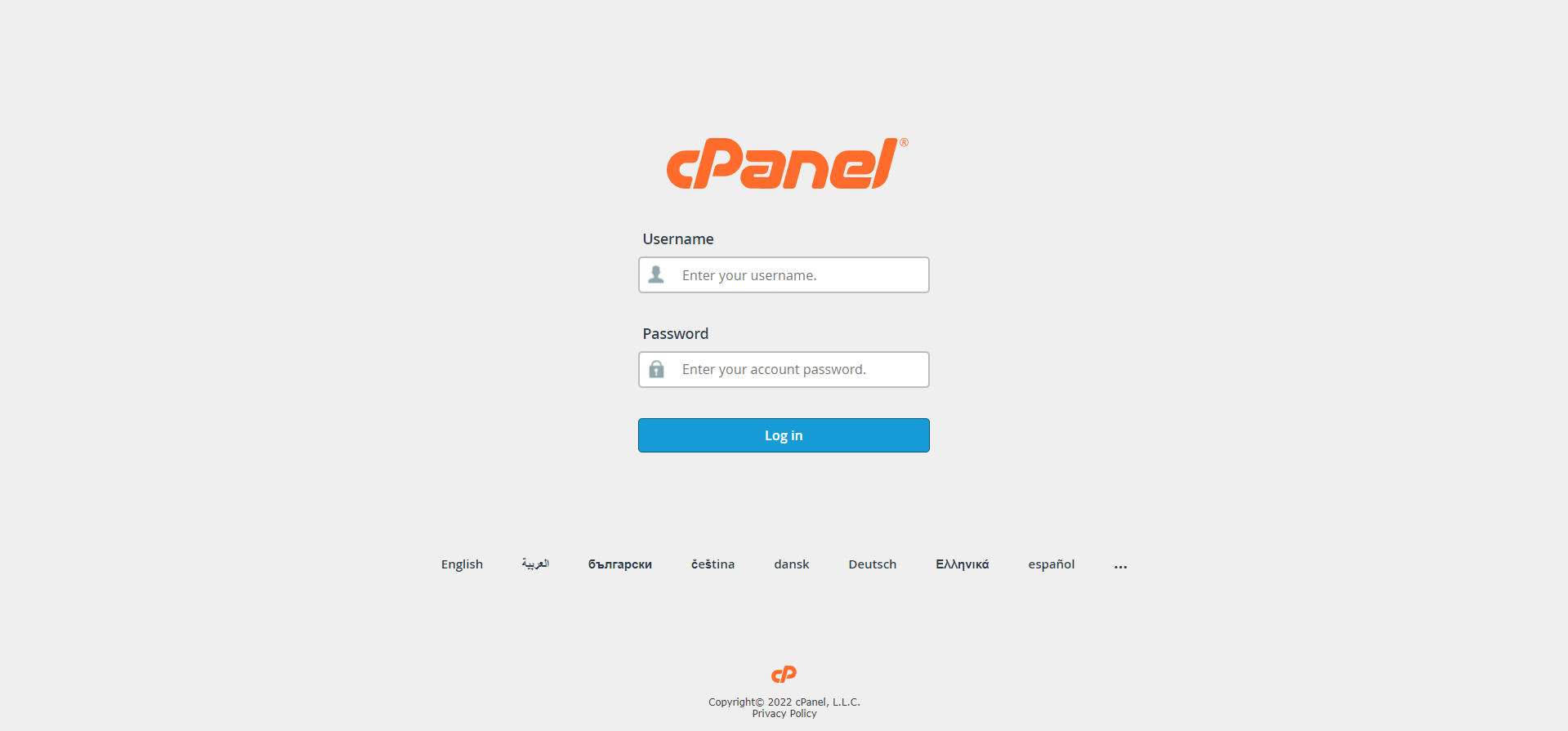
Step 01: Log in to cPanel.
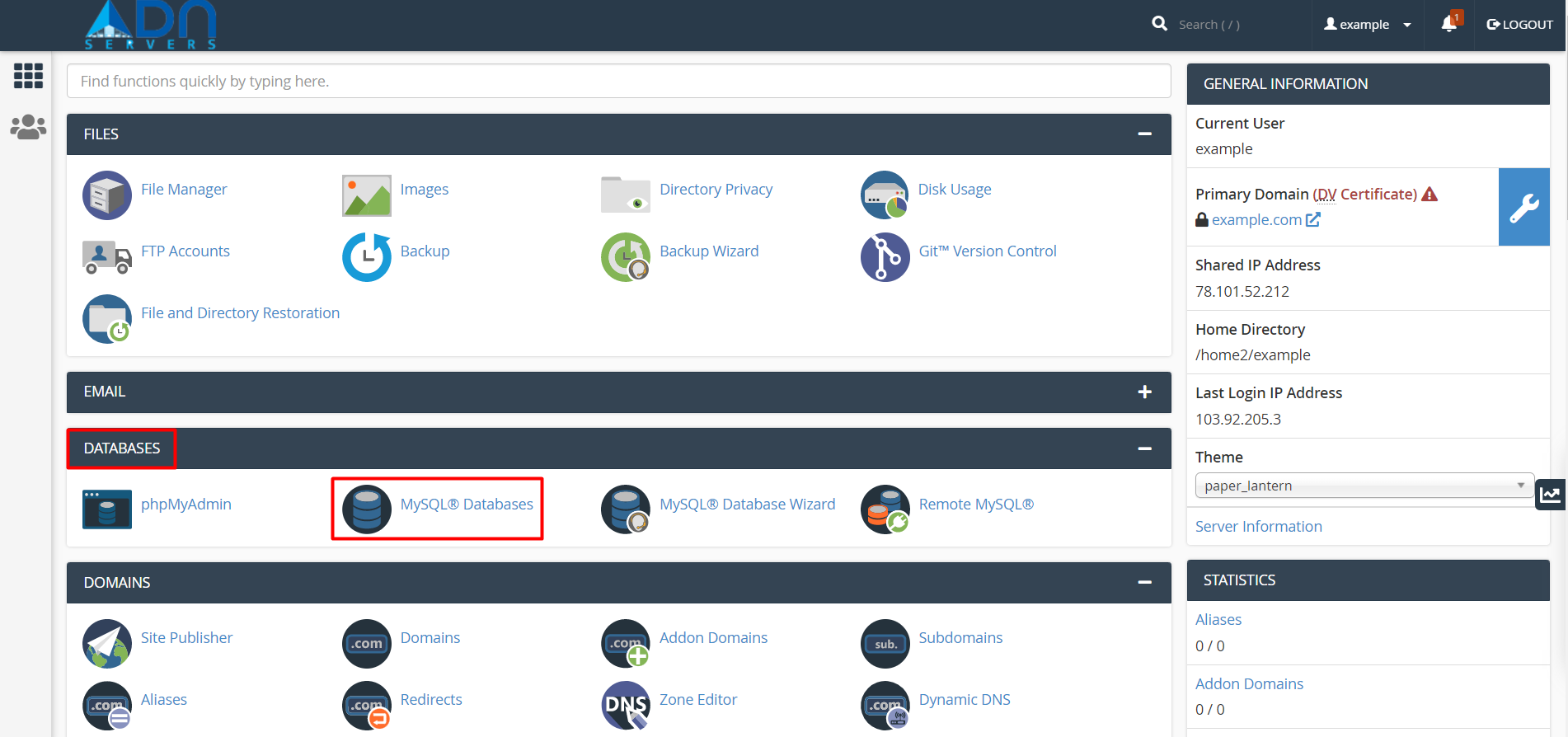
Step 02: Look for the Databases section, then click MySQL Databases.
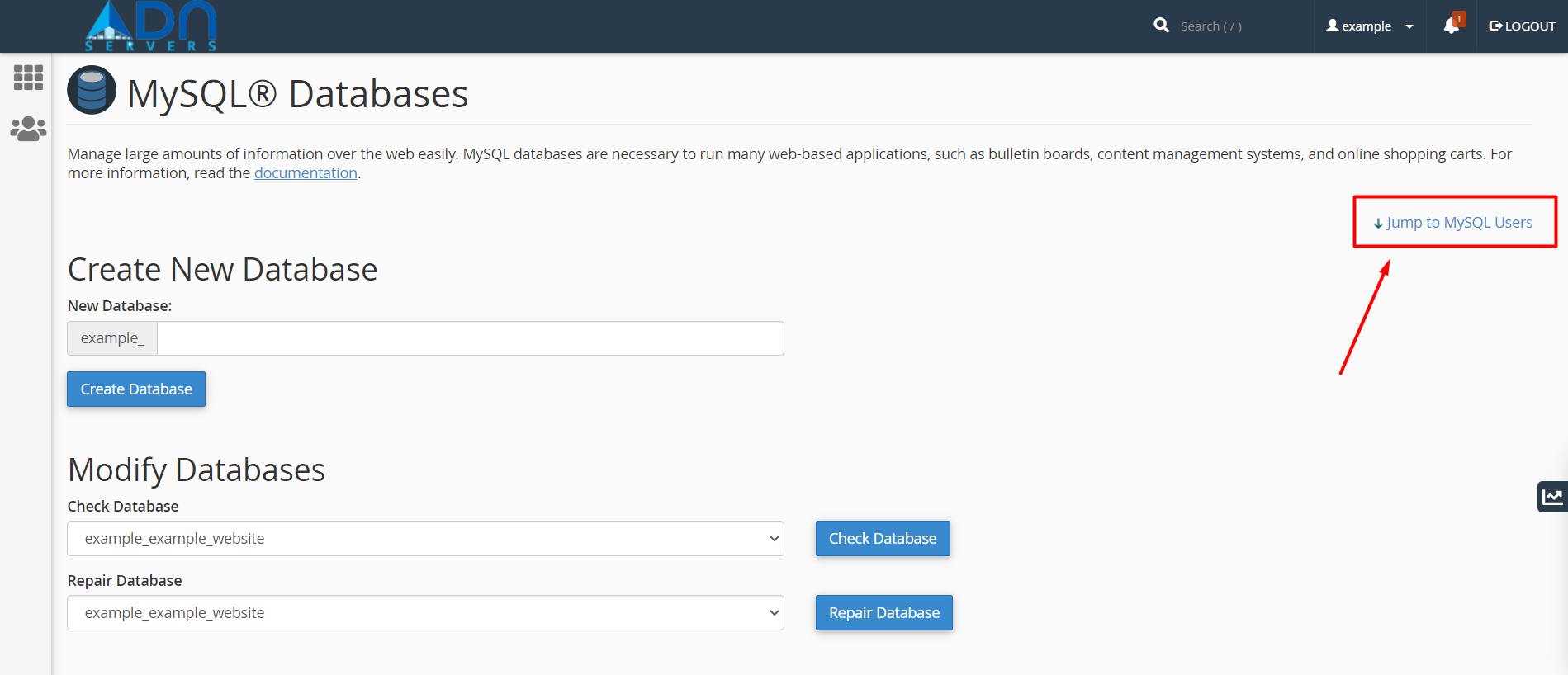
Step 03: Click the Jump to MySQL Users link at the top-right corner of the page. You may also scroll a little bit down to the MySQL User section.
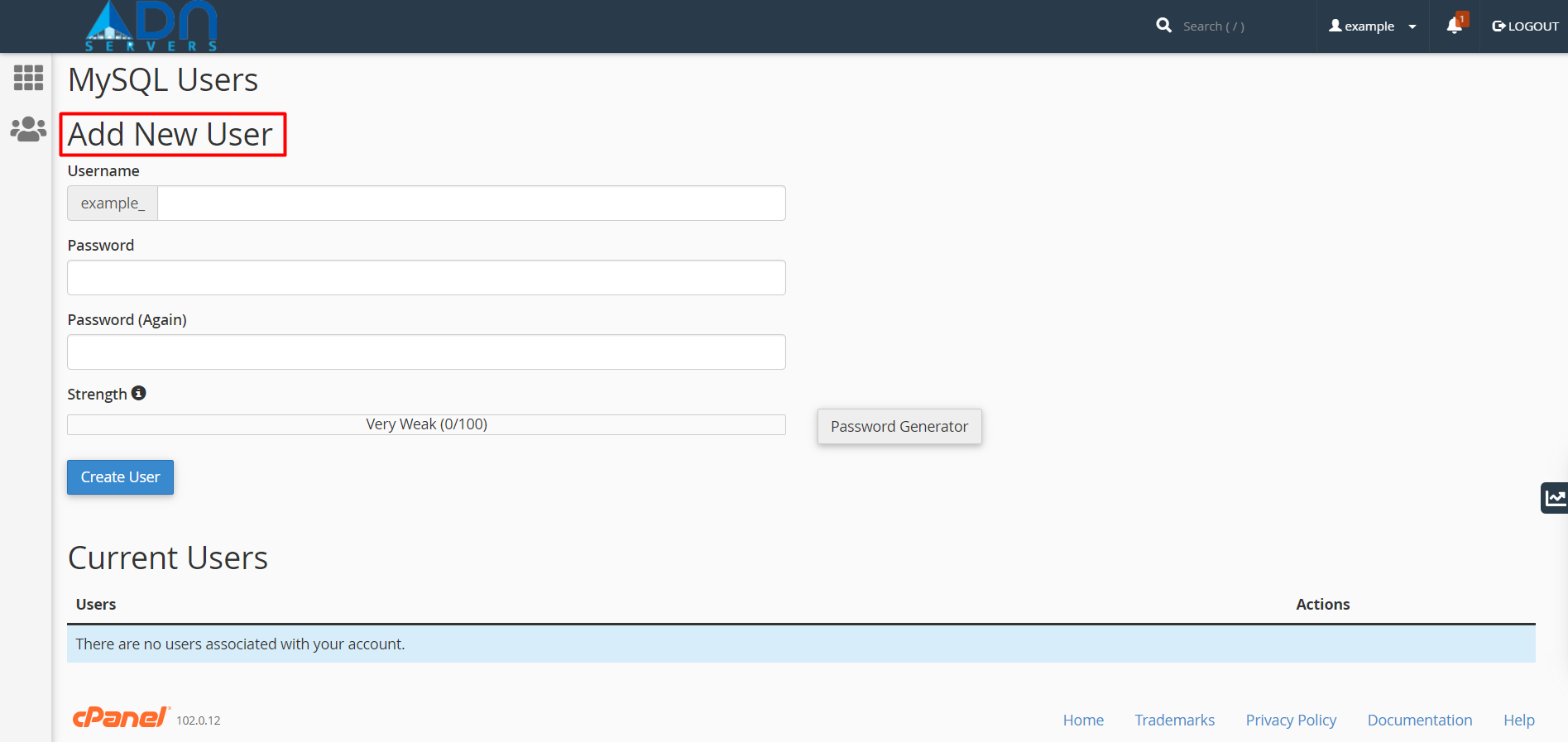
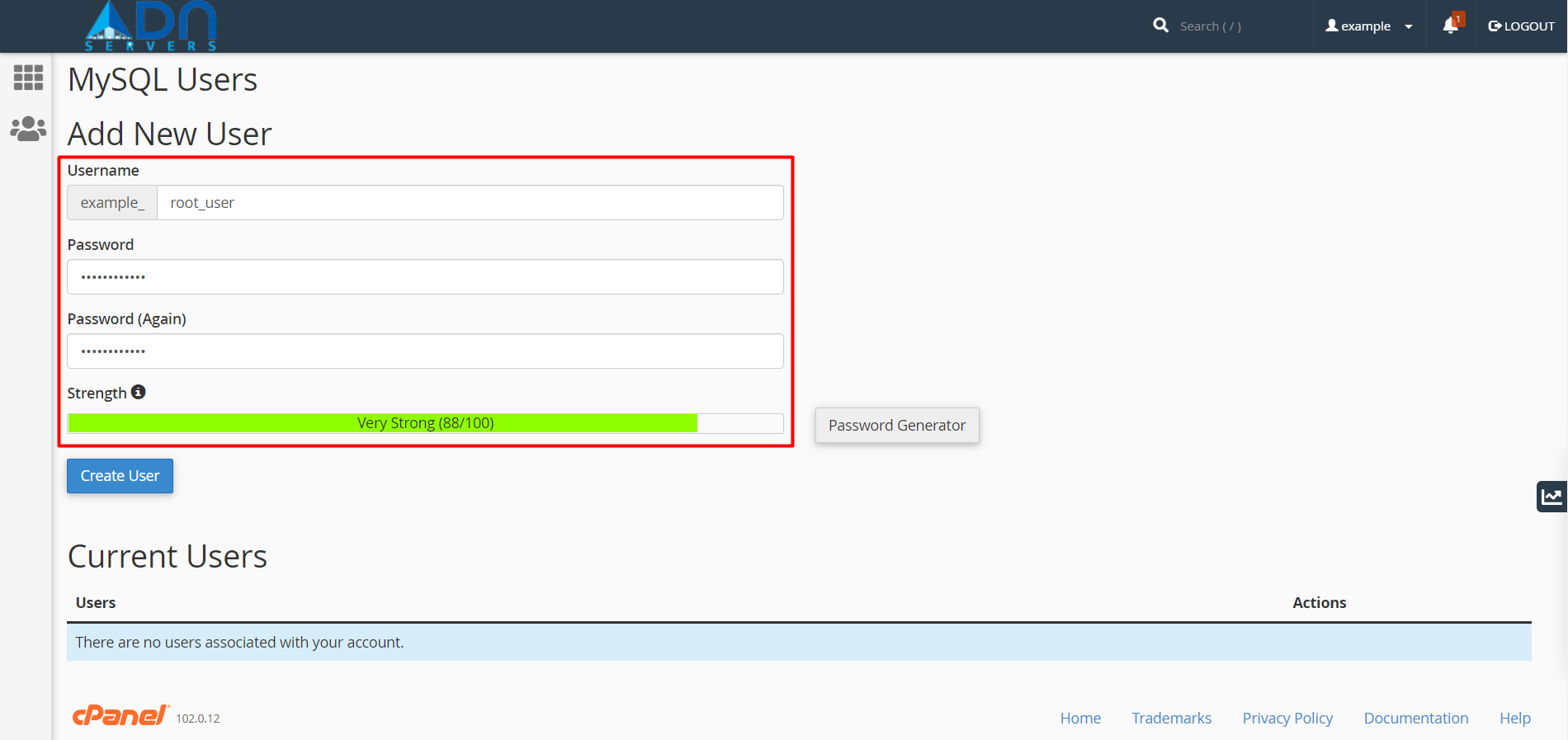
Step 04: Under Add New User, enter a username and password.
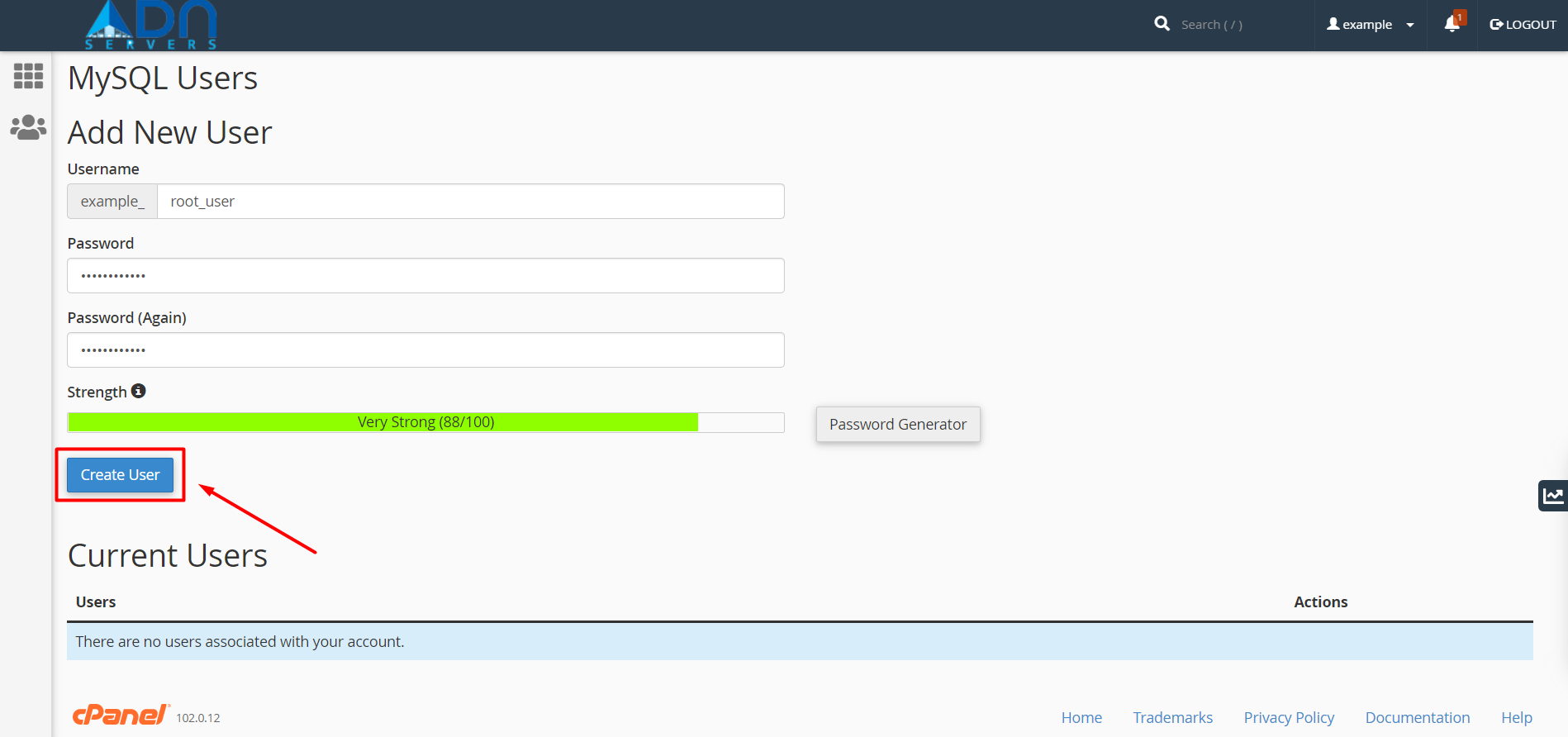
Step 05: Once the password is confirmed, click on the Create User button.
OR If you will face any issues, please email us at support@adndiginet.com for more technical support.


