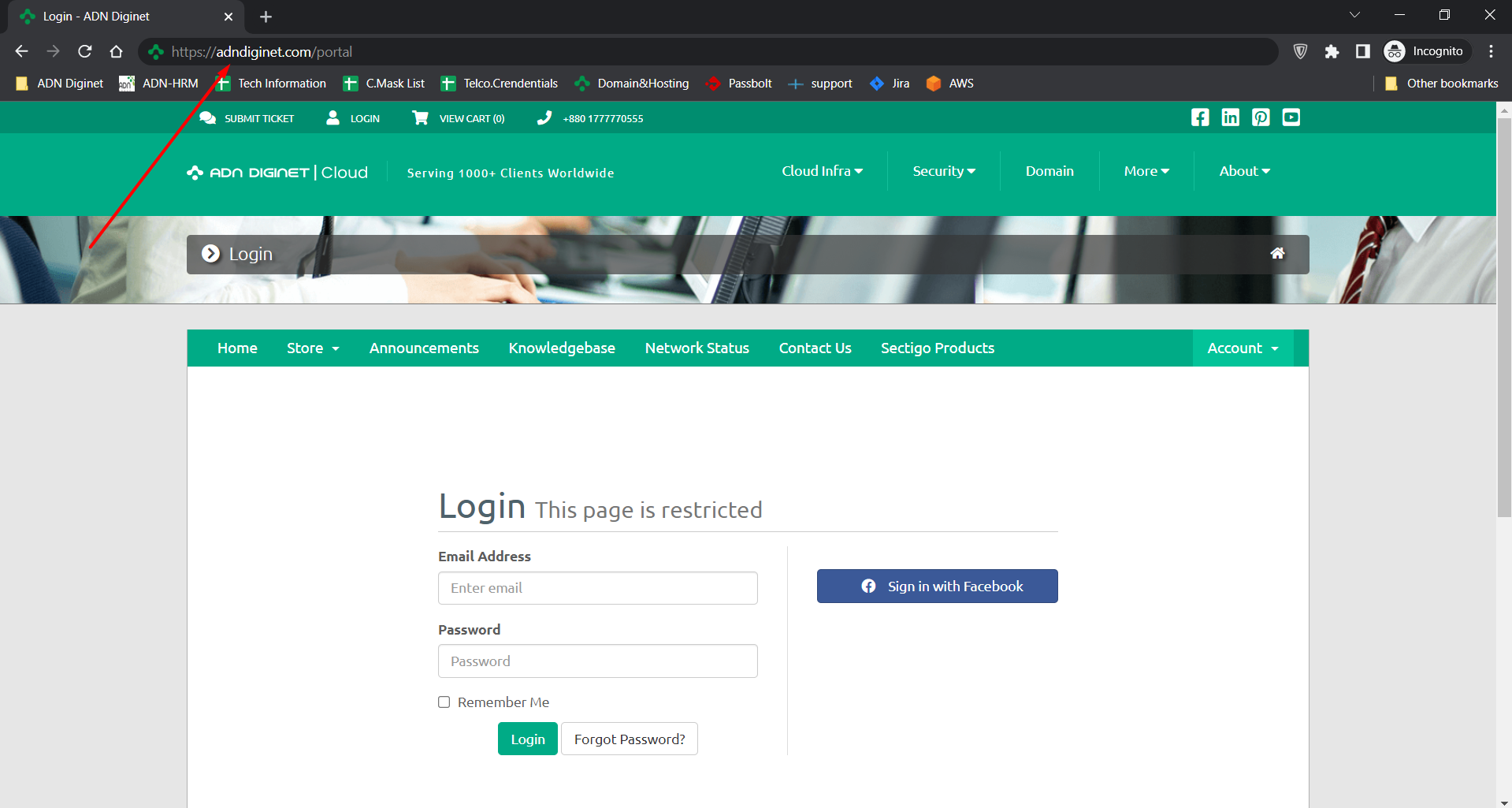
Step 01: Login into your client panel.
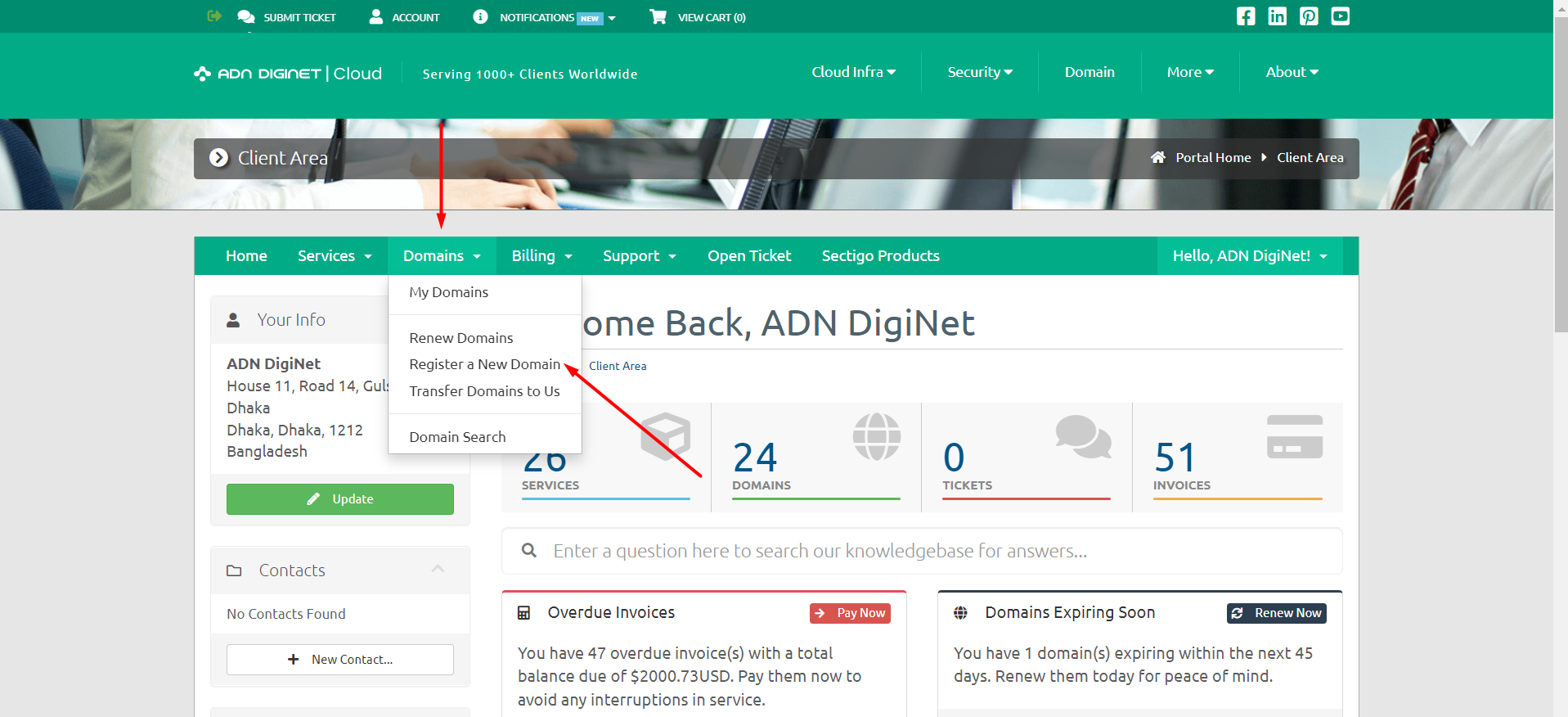
Step 02: Locate the "Domain" menu and then click on the sub-menu "Register a new domain".
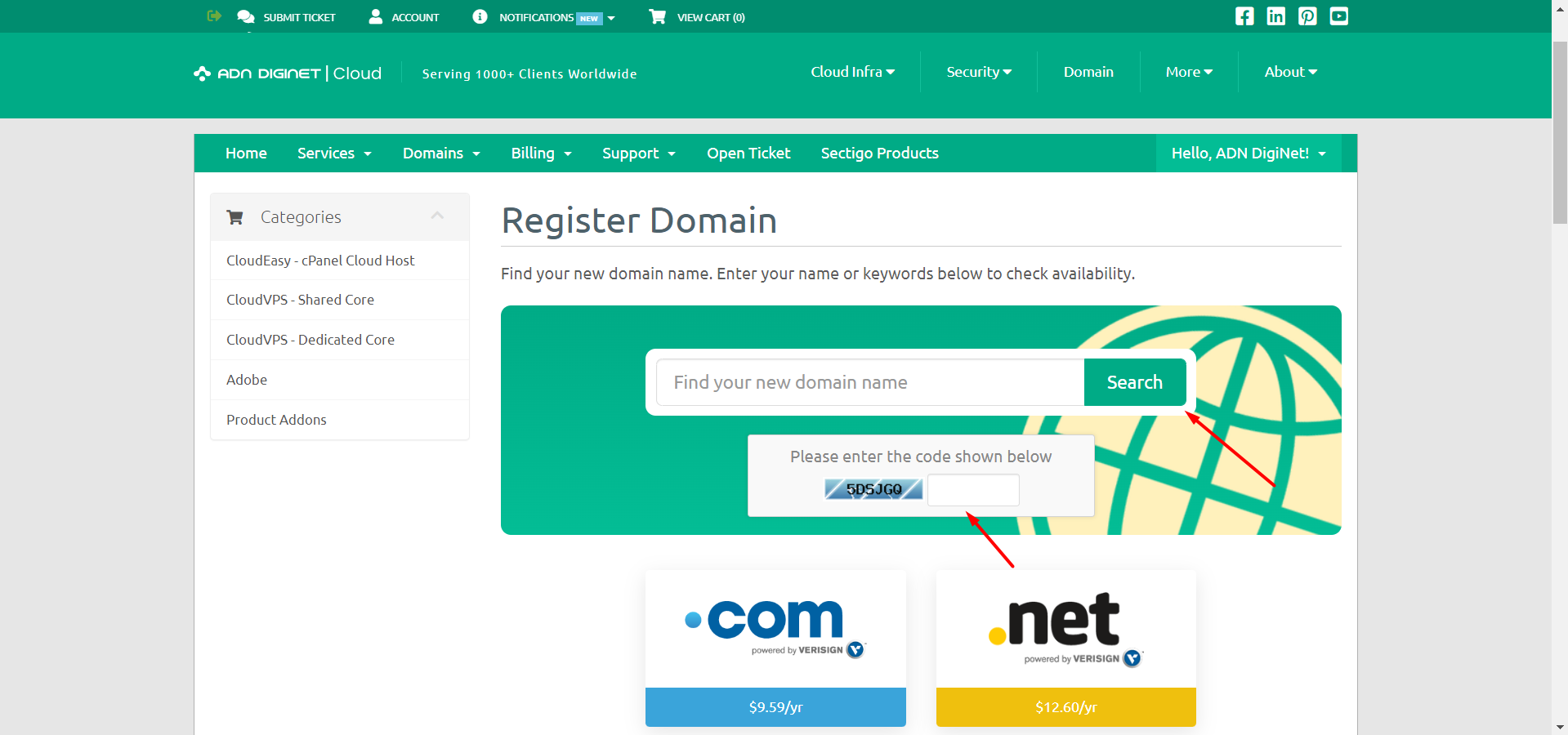
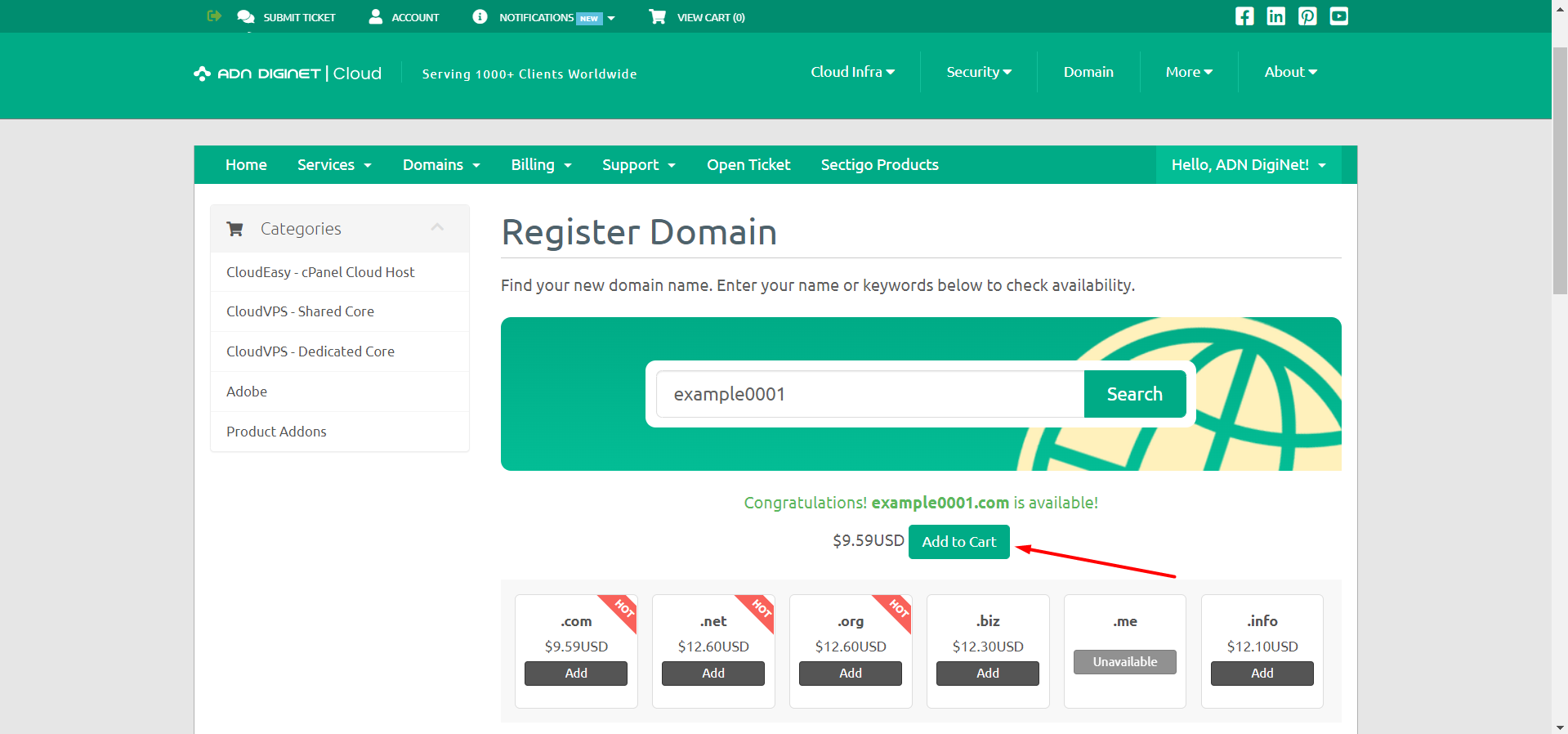
Step 03: Search for your domain name from the search bar and before that may check prices underneath the bar.

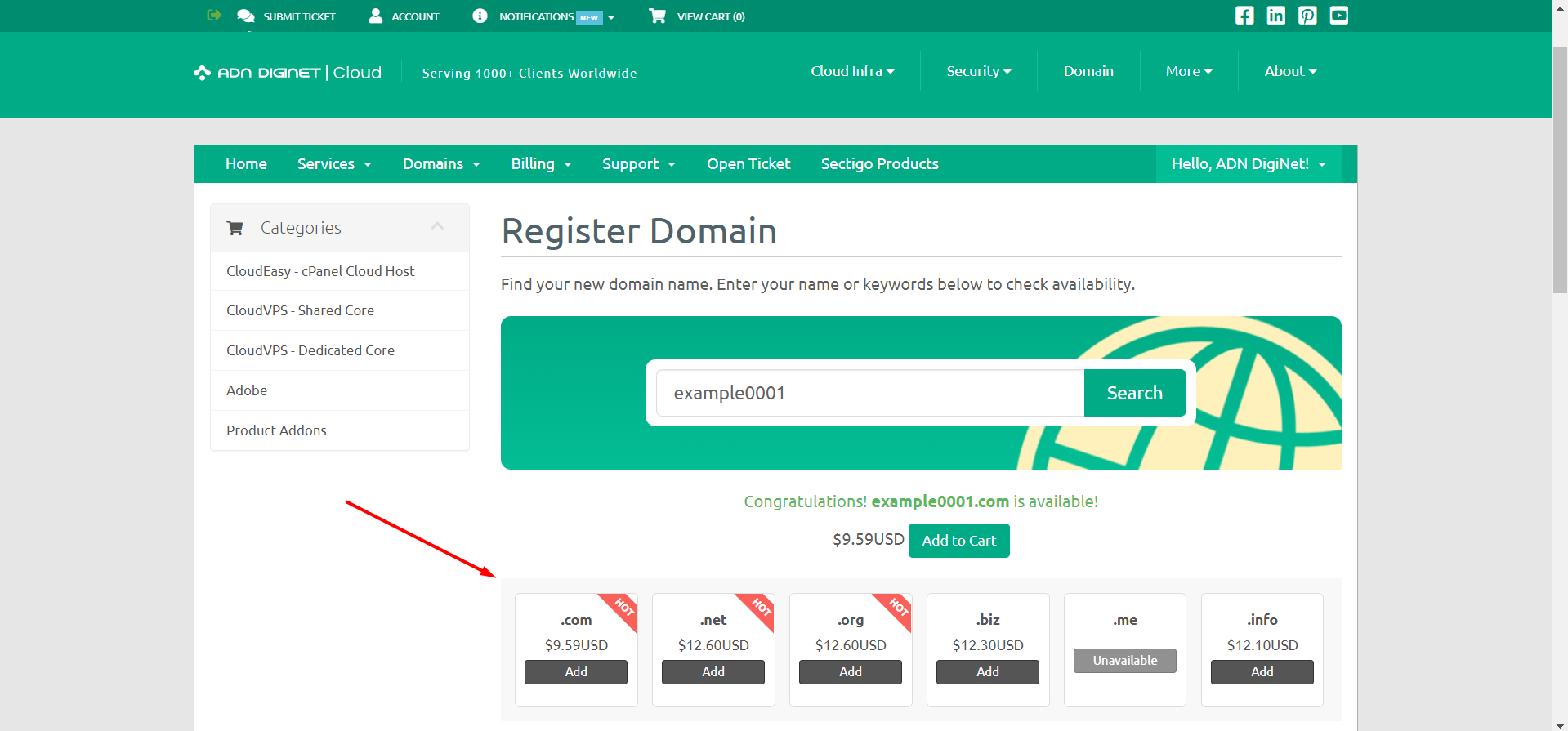
Step 04: Choose a domain name suffix, such as .com or .net.
Step 05: Purchase the domain name.
OR If you still have trouble please email us at support@adndiginet.com for more technical support.


