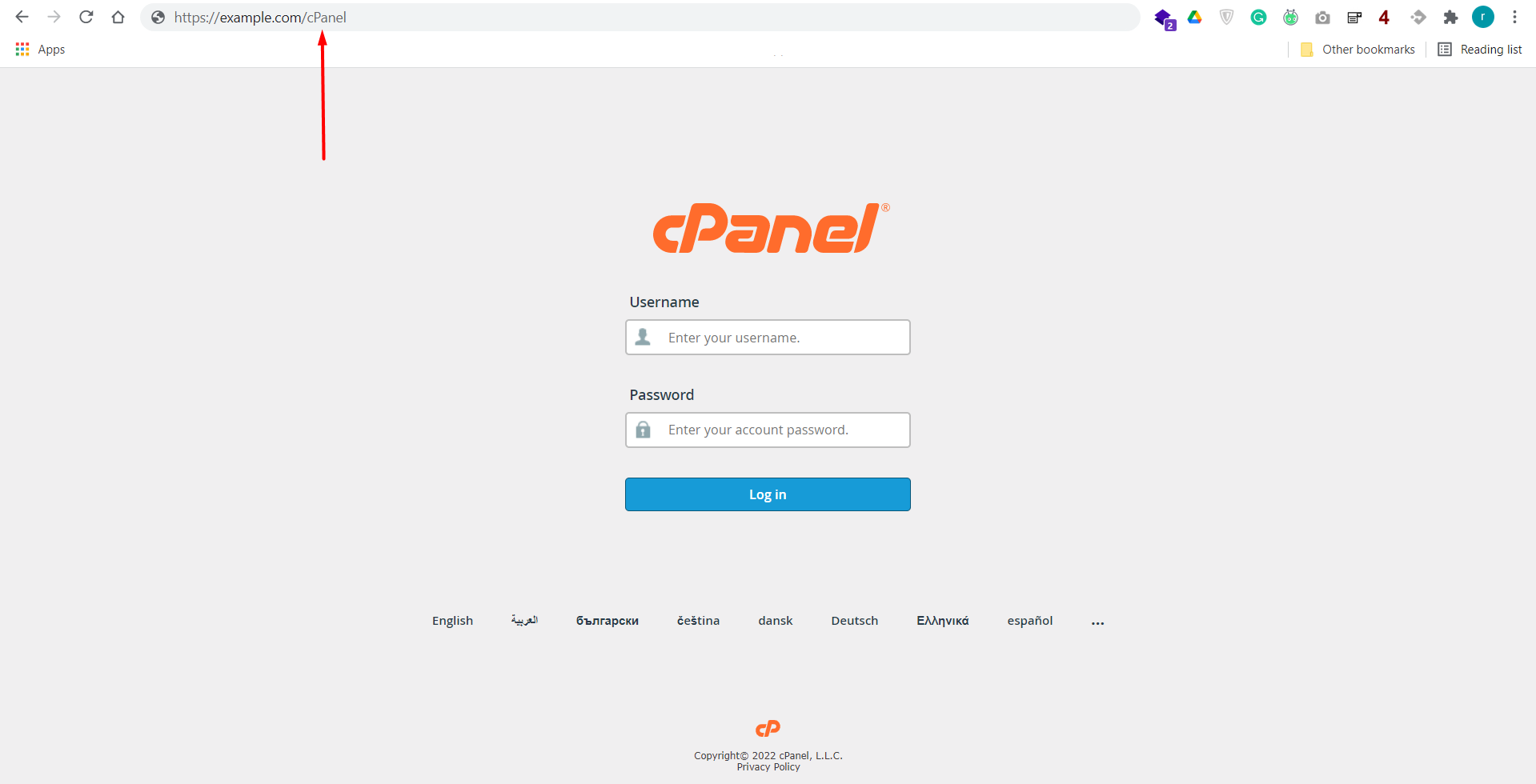
Step 01: Log into your cPanel.
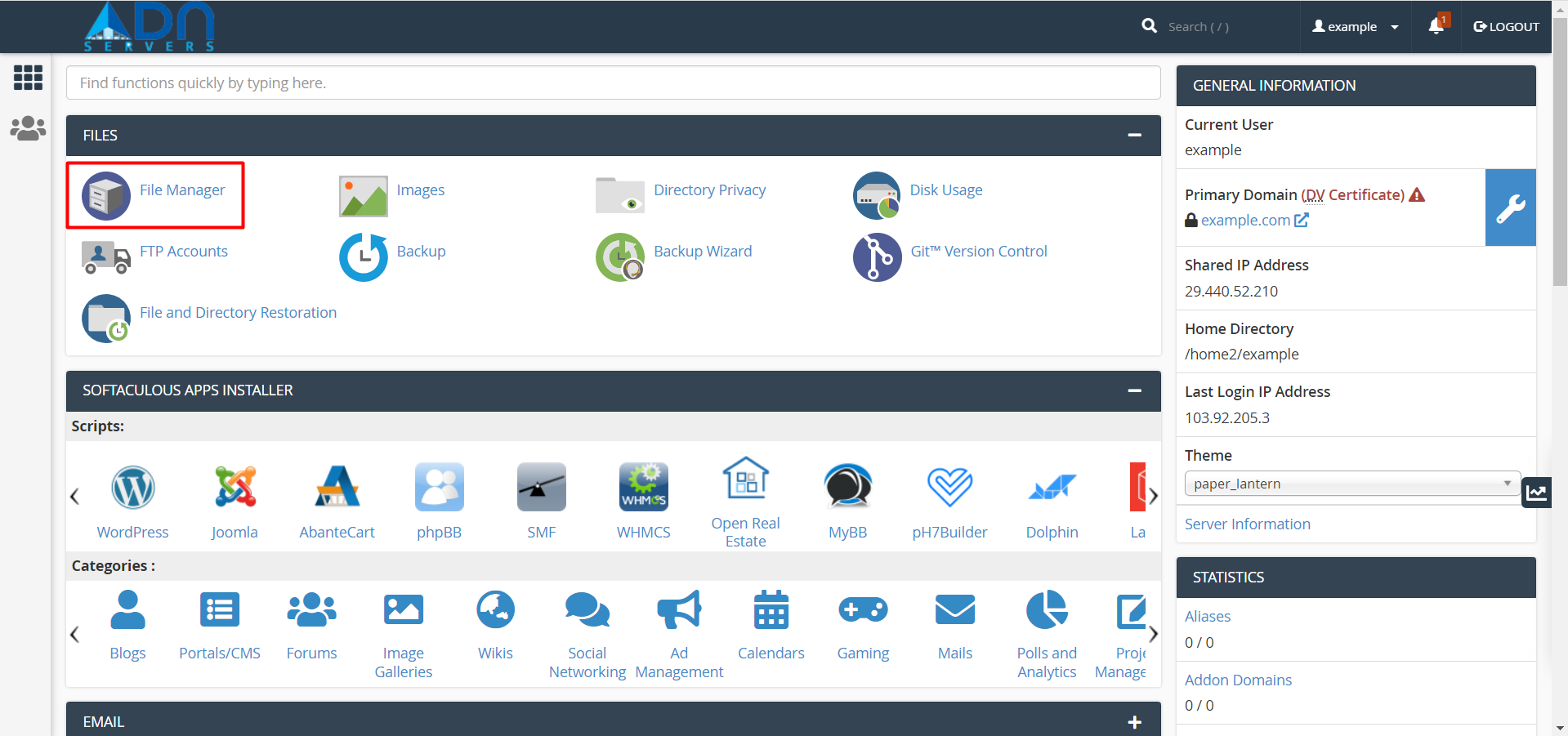
Step 02: Locate the fils section and click on File Manager.
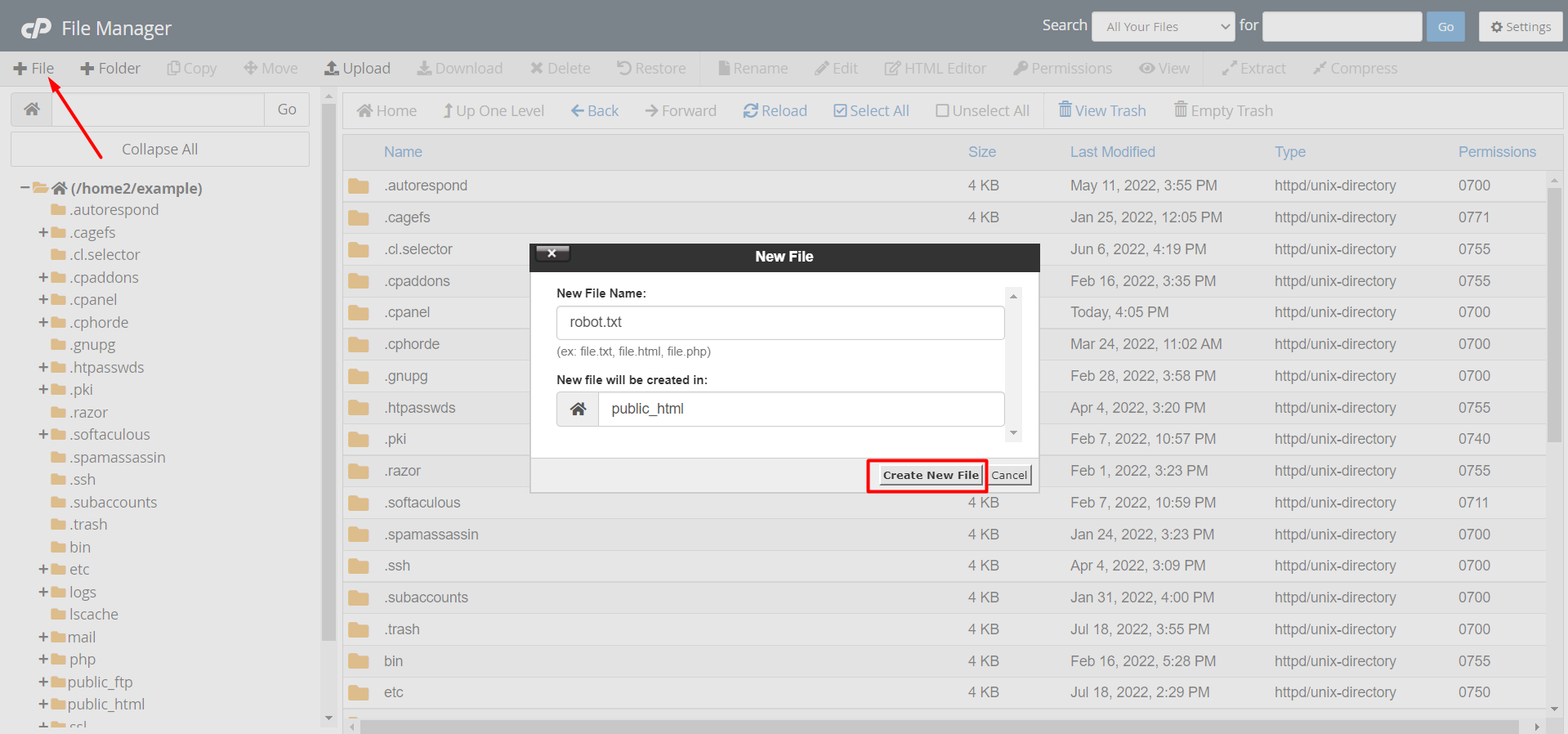
Step 03: Locate and click "+File" write the file name as robot.txt in the New File Name: field and click on the Create New File button.
Step 04: Now you can write or edit the robot.txt file.
Note: you can create only one robots.txt file for each domain. You are not allowed to duplicate on the same root path. Each domain or sub-domain must contain its own robots.txt file.
OR If you're still facing any issues, please email us at support@adndiginet.com for more technical support.


